Graduation Day Countdown: Count Down the Days Until You Graduate
Why a graduation day countdown matters more than you think
Whether you are finishing high school, wrapping up a bachelor's degree, or about to walk across the stage for your master's, graduation is one of the biggest milestones of your life. You have spent years working toward it, pulled all-nighters, survived group projects, and somehow made it through finals. The finish line is in sight.
A graduation day countdown turns that distant date into something real. Instead of thinking "a few months," you see "73 days" on your phone every morning. That number does two things: it reminds you how close you are, and it motivates you to push through the last stretch.
With Reach, you can set up a free graduation countdown in under a minute, add it as a widget on your home screen and lock screen (see how), and share it with your classmates so everyone counts down together.
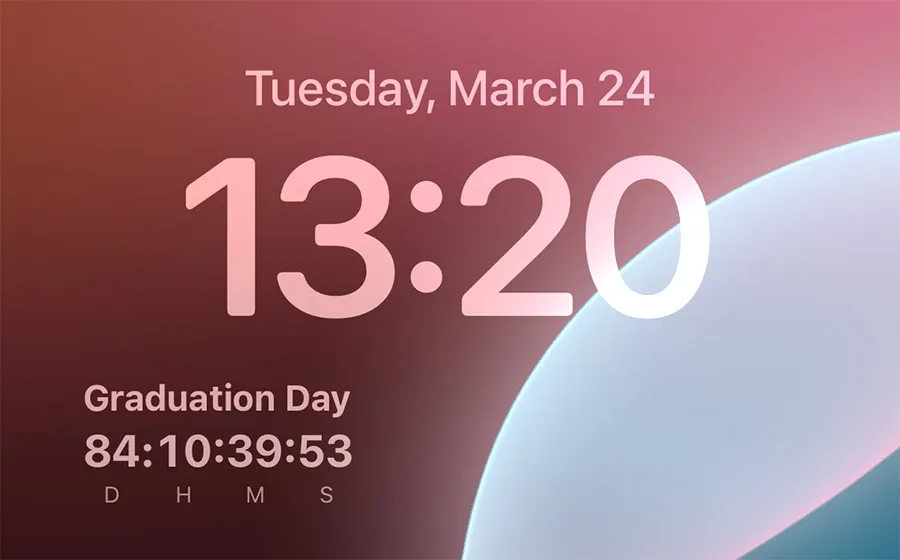
How to set up a graduation day countdown on your phone
Here is how to create a graduation day countdown widget step by step with Reach.
Step 1: Create your graduation countdown
- Download Reach for free from the App Store or Google Play
- Tap the + button to create a new event
- Name it "Graduation Day," "Class of 2026," or whatever feels right
- Set the date and time of your ceremony
- Choose a background photo: your campus, your school logo, or a group shot with friends
- Tap Create
Step 2: Add the widget to your home screen
- Long-press on your home screen until apps jiggle
- Tap Edit in the top-left corner
- Search for Reach
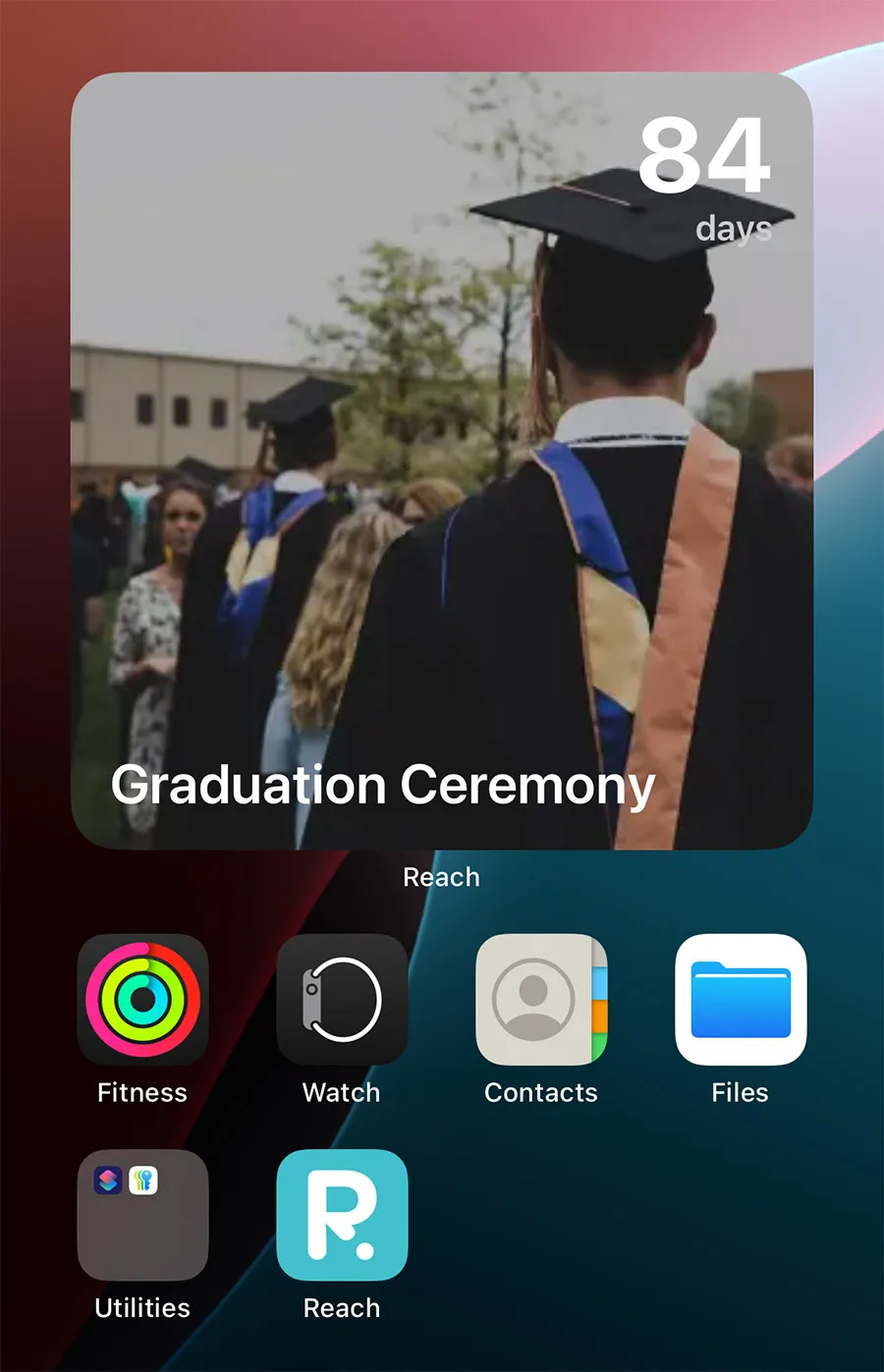
- Choose a widget size (the medium size shows your countdown photo and the number of days)
- Tap Add Widget
Now every time you unlock your phone, you see exactly how many days are left until you graduate. It is a small thing that makes a big difference in those final weeks.
Step 3: Share it with your classmates
- Open the countdown you just created
- Tap the Share button
- Send the link to your group chat on iMessage, WhatsApp, or any messaging app
- Everyone who taps the link joins the countdown automatically
Now your entire friend group sees the same shared graduation countdown ticking down on their phones. It builds a sense of collective anticipation that makes the last weeks of school even more meaningful.
10 graduation day countdown ideas to make the most of your final days
A countdown is more than a number on a screen. Here are creative ways to use your graduation day countdown app to celebrate the journey:
- Create a "last day of classes" countdown. Your last lecture deserves its own countdown. Set it to the exact date and time of your final class.
- Add a separate countdown for each milestone. Last exam, senior prank day, prom night, cap and gown pickup, graduation rehearsal, the ceremony itself. Each one gets its own countdown and widget. If exams are still ahead of you, start with an exam countdown and let the graduation one take over once the papers are behind you.
- Use your school photo as the widget background. A picture of your campus, your dorm, or your favorite study spot makes the widget feel personal every time you see it.
- Enable the live widget. Switch on real-time mode to watch the days, hours, minutes, and seconds tick down. When you are in single digits, watching the seconds count feels electric.
- Share different countdowns with different groups. One for your entire class, one for your close friends, one for your family. Everyone counts down in their own way.
- Start a daily photo challenge. Take one photo each day for the last 30 days and post it in your group chat. The countdown keeps everyone on track.
- Add it to your lock screen. With a lock screen widget, you see the number every single time you glance at your phone, without even unlocking it.
- Create a countdown for your grad party. If you are throwing a celebration after the ceremony, set up a separate countdown and share it with everyone invited.
- Count down to your first day at your new job. Graduation is an ending and a beginning. Create a second countdown for whatever comes next: your first day at work, the start of grad school, or your gap year trip.
- Keep the count-up running after graduation. Once the ceremony is over, the countdown flips into a count-up. "1 day since graduation," "100 days since graduation." It becomes a fun marker of your post-grad life.
Graduation day countdown by school level
The countdown experience is slightly different depending on where you are in your education. Here is how students at every level use Reach:
High school graduation countdown
High school seniors are counting down from the first day of their last year. The countdown often starts at 180+ days and becomes a social media staple. Share it with your entire friend group and watch the anticipation build as prom, senior skip day, and finals come and go. Many high schoolers create multiple countdowns: one for the last day of school and one for the graduation ceremony itself.
College graduation countdown
College students usually start their countdown after spring break or at the beginning of their final semester. The countdown represents years of hard work, late-night study sessions, and lifelong friendships. Sharing a college graduation countdown widget with your roommates or your dorm group adds a layer of nostalgia to those final weeks on campus.
Countdown to graduate school graduation
For master's and PhD students, the countdown often represents a longer and more intense journey. After two to seven years of research, thesis writing, and dissertations, watching the number go down brings a different kind of relief. Create a shared countdown with your cohort or your advisor and celebrate the milestones together.
Why a countdown app beats crossing off days on a calendar
You could technically count the days on your calendar. But here is why a dedicated graduation day countdown widget is better:
| Feature | Calendar | Reach |
|---|---|---|
| Shows days remaining | No, you have to count manually | Yes, updated automatically |
| Home screen widget | Shows your schedule, not a countdown | Live countdown with custom photo |
| Lock screen widget | Not available | See the number without unlocking |
| Shared with friends | Not visual or social | Everyone sees the same countdown |
| Count-up after the event | No | Automatic |
| Builds excitement | Functional, not fun | Designed for anticipation |
Gift idea: give a countdown to graduation
Looking for a unique graduation gift for a friend, sibling, or your own child? Create a countdown for their graduation day, set a beautiful photo as the background, and share it with them. It is free, personal, and something they will look at every day until the big moment. You can even create one for the graduation party or their first day at their new school or job.
When should you start your countdown to graduation?
There is no wrong time, but here are the most popular starting points:
- First day of senior year. Start the countdown on day one of your last year. You will watch it go from 200+ days all the way down to zero.
- 100 days before graduation. The "100 days left" milestone is a big deal at many schools. Create the countdown and celebrate hitting double digits.
- After spring break. For college students, this is when graduation starts feeling real. The countdown makes it tangible.
- After your last final exam. If you want to focus on the ceremony itself, start the countdown once exams are done and the only thing left is the cap and gown.
Frequently asked questions
Is Reach free for graduation countdowns?
Yes. Creating and sharing countdowns is completely free. Home screen and lock screen widgets are also free. You can optionally upgrade to Premium for custom background images on more than 4 countdowns.
Does everyone in my class need the app?
Each person who wants to see the shared countdown and add the widget needs Reach installed. The app is free and lightweight on both iPhone and Android.
Can I set the countdown to the exact ceremony time?
Yes. You can set it to the exact date and time, like "Saturday at 10:00 AM." The widget will show days, hours, and minutes remaining as it gets closer.
Can I have multiple graduation countdowns?
Absolutely. You can create separate countdowns for your last exam, the ceremony, the grad party, your first day at your new job, or anything else. Each one can be shared independently and added as its own widget.
What happens after graduation?
The countdown automatically becomes a count-up. "1 day since graduation," "30 days since graduation," and so on. Many graduates keep it running as a marker of their post-grad journey.
Does it work on both iPhone and Android?
Yes. Reach is available on both the App Store and Google Play. Widgets work on both platforms.
Can my family join the countdown too?
Of course. Share the countdown link with your parents, siblings, or anyone who wants to count down with you. They will see the same number on their phone.